Choosing the right photocopier is important for any business, whether you are a small business printing marketing materials, or a larger organisation managing high-volume document workflows. The photocopier you choose can have a huge impact on productivity, efficiency, and ultimately, running costs. With lots of models and features available, it can be hard to know exactly what to look for. In this guide, we are going to explore the key factors businesses should consider when investing in a new photocopier.
Understanding Your Printing Requirements
Before even looking at different models of printers and photocopiers, it is a good idea to audit your current usage. Think about the following questions:
- Will you be scanning documents directly to email or cloud storage?
- How many pages do you print each month?
- Will your photocopier need to integrate with platforms such as Microsoft 365, SharePoint or Google Workspace?
- Do you need secure printing and user authentication to protect sensitive information?
- Do you require mobile printing and scanning for employees working remotely or across multiple devices?
By taking the time to work out your requirements, this will make choosing the right machine a lot easier. Otherwise, you are likely to be paying for features that you may never use, or choosing a photocopier that isn’t capable of handling your workload. A photocopier that is too small for your needs can lead to breakdowns and unnecessary delays.
Scanning & Document Management
As businesses continue to work more digitally, scanning functionality has become just as important as printing. Look for photocopiers that have the following features:
- Scan to email
- Scan to network folders
- Scan to cloud storage
- Optical Character Recognition (OCR)
- Searchable PDF creation
By having all of these features, it is much easier to store, retrieve and share information across departments while reducing the need for paper-based processes. It also means there is a digital audit trail, which helps to improve efficiency.
Security Features
Cybersecurity is a huge concern for businesses of all sizes, and photocopiers are actually a potential security risk, so it is important to think about this when looking to purchase a photocopier. Modern photocopiers store data and connect to business networks, making security features increasingly important. Look for capabilities such as:
- User authentication
- Secure print release
- Data encryption
- Hard drive protection
- Automatic data deletion
- Network security integration
These features help protect sensitive business information, ensuring documents don’t accidentally get into the wrong hands. They also help keep businesses compliant with data protection regulations.
Mobile & Cloud Connectivity
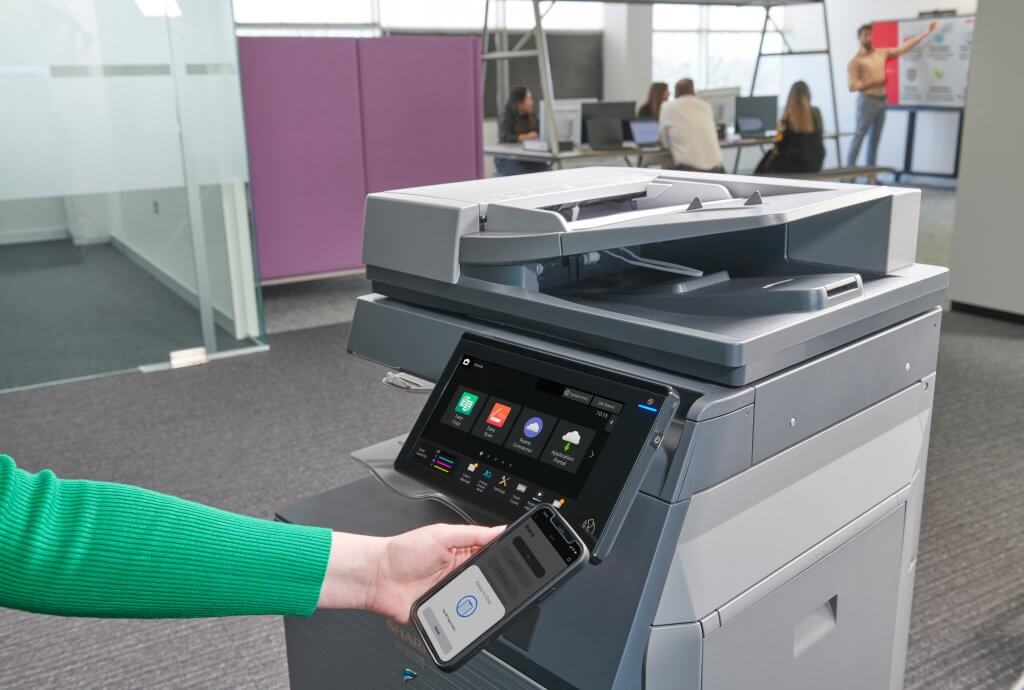
With an increasingly remote workforce, many employees expect to be able to print from laptops, smartphones and tablets when they are on the go. Modern business photocopiers support Apple AirPrint, Google Cloud print, mobile printing apps, Microsoft 365 integration, and cloud storage connectivity. It is worth weighing up the importance of cloud connectivity for your business when it comes to printing requirements.
Print Speed Matters
Print speed is measured in pages per minute (PPM). For businesses with low printing volumes, a machine producing 20-30 pages per minute should be sufficient. However, larger offices that need to regularly print large volumes would benefit from photocopiers capable of producing 40, 50 or 60+ pages per minute.
Consider Print Quality
The quality of printed documents can have a huge impact on your professional image. If you are regularly producing customer-facing materials such as brochures or marketing materials, image quality and colour accuracy are really important. Modern multifunction photocopiers from Sharp & Lexmark offer excellent print resolutions and colour reproduction, ensuring documents not only look professional but consistent time and again too.
Multifunction Capabilities
Lots of modern business photocopiers are actually Multifunction Printers (MFPs) which means they combine several office functions into one single device. Typical features include: printing, copying, scanning, emailing documents, and also faxing, where required. A multifunction device is often very cost-effective, can save office space, and can also streamline workflows by allowing staff to complete multiple tasks from one machine. With lots of refurbished photocopiers available, businesses don’t have to spend lots of money on a shiny new photocopier either.
Reliability & Support
A photocopier is a vital piece of office equipment, and downtime can have a huge impact on productivity. When looking at potential suppliers like SoluTech, think about the following:
- Manufacturer reputation
- Warranty coverage
- Response times for repairs
- Availability of replacement parts
- Local support services
Partnering with an experienced supplier like us will provide you with peace of mind that help and support is there when you need it.
Sustainability & Energy Efficiency
Environmental responsibility is becoming more important within businesses, and photocopiers play a role in this. Modern photocopiers are significantly more energy efficient than older models, and often include features to help reduce environmental impact, for example:
- Low energy consumption
- Sleep mode functionality
- Duplex (double-sided) printing
- Recycled materials in manufacturing
- Toner recycling programmes
Choosing an energy-efficient photocopier can have a huge positive impact on your business’s carbon footprint.
Whether you are thinking about leasing or purchasing a photocopier for your business, the experts at SoluTech are here to help you through the process. We take the time to fully understand your business, assess your printing requirements, and then recommend the most suitable solution. We help businesses across Hull, East Yorkshire and the Humber region to find the right document management solution for their specific requirements.